


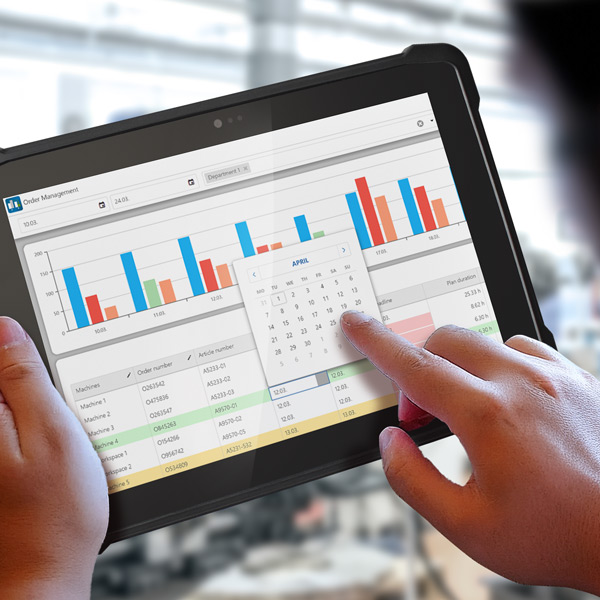
EMC Order Management: Flexible Control Over Production Orders
Real-Time Control of Machine and Department Capacity Utilization
The EMC Order Management module of MES Software EMC takes broadly scheduled ERP production orders and transforms them into highly flexible, digital sequence planning on the shop floor. Instead of rigid paper job routers, operators see the exact live priorities at their terminals. When rush orders arrive or unplanned downtime occurs, shift supervisors can reschedule operations with just a few clicks via drag-and-drop, without error-prone manual reconciliation.
Whether maximizing capacity utilization on high-speed line machinery in wire processing or avoiding bottlenecks at expensive progressive tooling stations in metal forming: EMC ensures balanced capacity utilization, prevents idle times, and guarantees accurate schedule feedback.
Digital order management delivers numerous advantages that significantly enhance production efficiency as well as process quality and transparency:
-
Full Real-Time Transparency: Detailed progress indicators guarantee seamless traceability for every single production order.
-
Error-Free Transmission: Digital order data replaces paper-based workflows and prevents manual entry errors during execution.
-
Maximum Flexibility: Order priorities can be adjusted dynamically and dispatched directly to machine terminals without delay.
Perfect overview of machine and department utilization
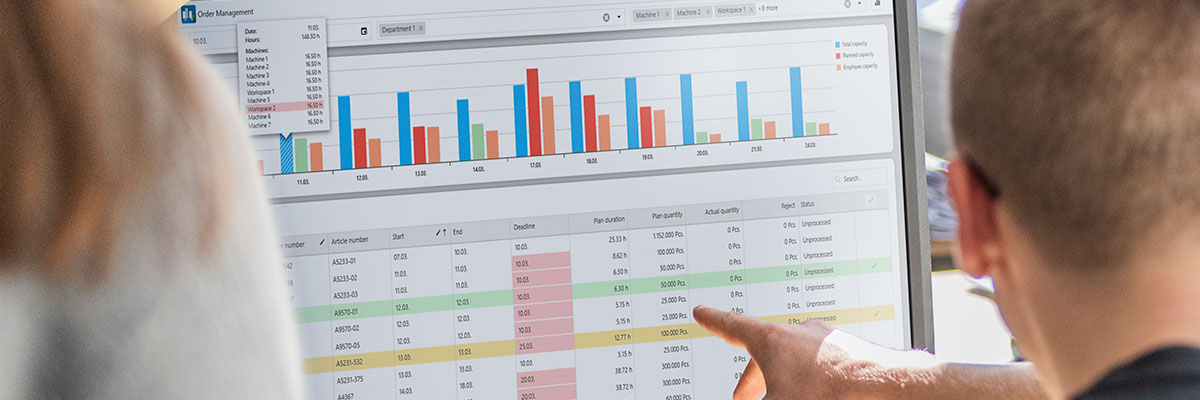
In the EMC Order Management module, the machine and employee capacities of the department and the list of production orders per machine are displayed in real time based on the selected filters. Thanks to real-time monitoring, you always have a complete overview of machine and department utilization and can intervene directly if necessary.
New or changed orders are called up directly from the ERP and displayed in color. The foreman can then control and plan the orders in such a way that overcapacity is avoided.
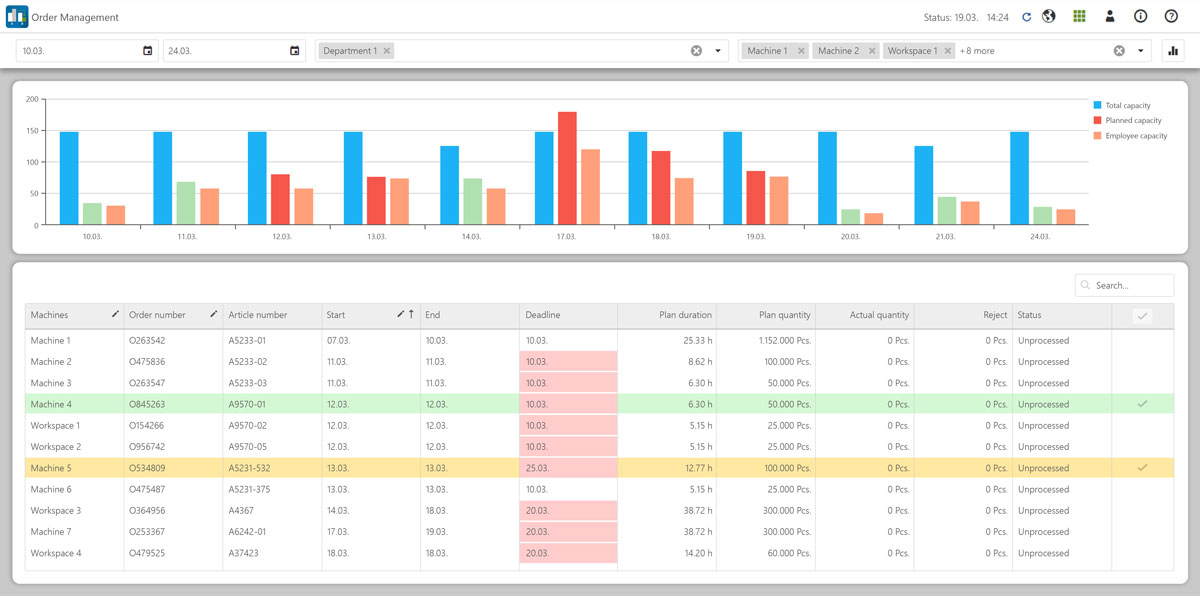
Department capacity utilization always in view
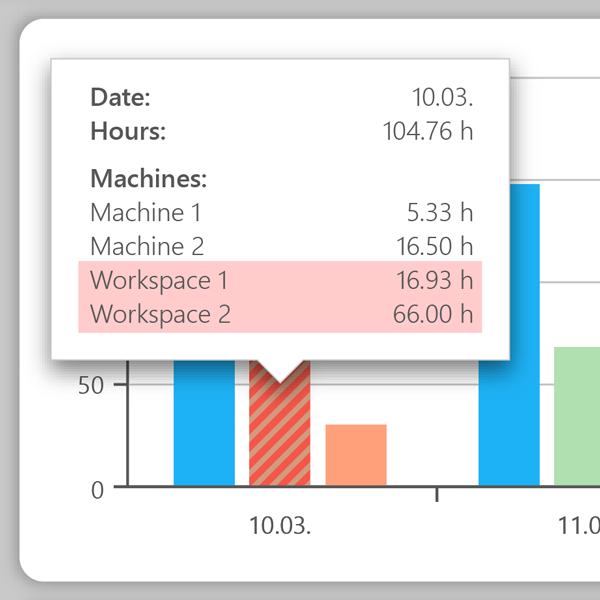
The blue bar always shows the possible machine working time of the selected department. The second bar shows the planned capacity and utilization of the department in detail. Overloaded machines or workstations are automatically highlighted in color.
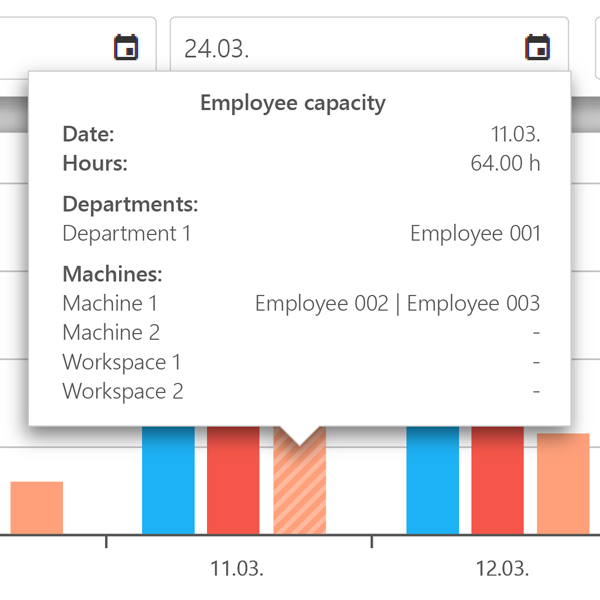
Manage employee capacities within Order Management
Which employees are scheduled for the machines or the department? In combination with the EMC Team Planner module, the employee capacities are displayed via a third bar. This allows the foreman to see immediately if he needs to schedule more people for the orders.
Assign orders to a new machine
The digital order management system offers several options for moving orders if required.
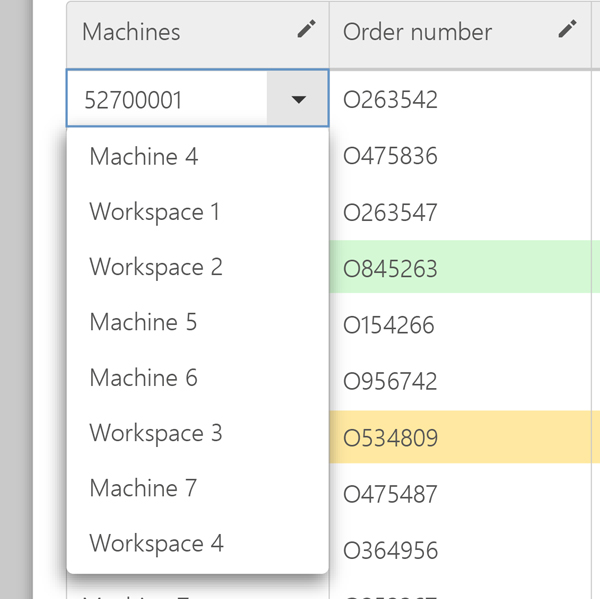
The order can be easily moved to a new machine using the machine name. To do this, simply select the new machine and move the order.
Simply move the start date of orders
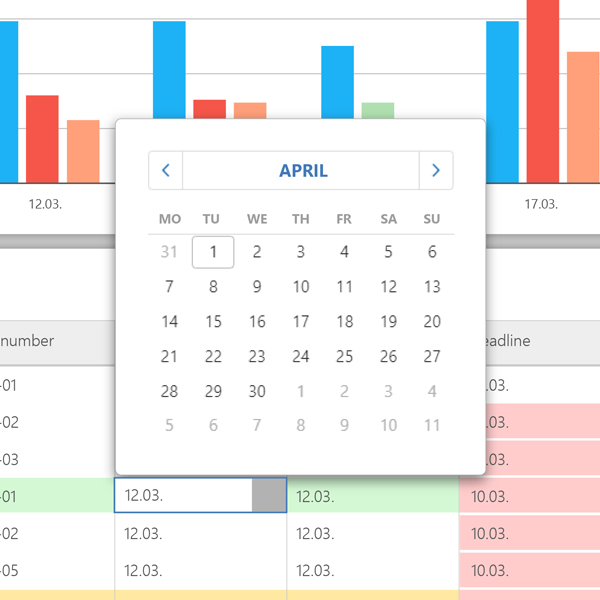
In addition to assigning an order to a new machine, orders can also be rescheduled. If there are capacity bottlenecks, the start date of the orders can be postponed via the calendar.
Regardless of which type of order postponement the foreman chooses, thanks to digital networking, the worker is always shown the correct planning sequence of the orders on the machine terminal.

All modules:
EMC Machine Data Acquisition
EMC Operational Data Acquisition
EMC Monitoring

EMC Reporting
EMC Dashboard

EMC Team Planner

EMC Detailed Planning
EMC Order Management

EMC Maintenance

EMC Spare Parts Management

EMC Process Data Acquisition

EMC Control

EMC Knowledge Base
EMC Factory Logistics
EMC Energy Management
EMC Report Server
EMC IoT

EMC Chat

EMC Message

EMC Converter
EMC Machine Data Acquisition
EMC Operational Data Acquisition
EMC Monitoring
EMC Reporting
EMC Dashboard
EMC Team Planner
EMC Detailed Planning
EMC Order Management
EMC Maintenance
EMC Spare Parts Management
EMC Process Data Acquisition
EMC Control
EMC Knowledge Base
EMC Factory Logistics
EMC Energy Management
EMC Report Server
EMC IoT
EMC Chat
EMC Message