


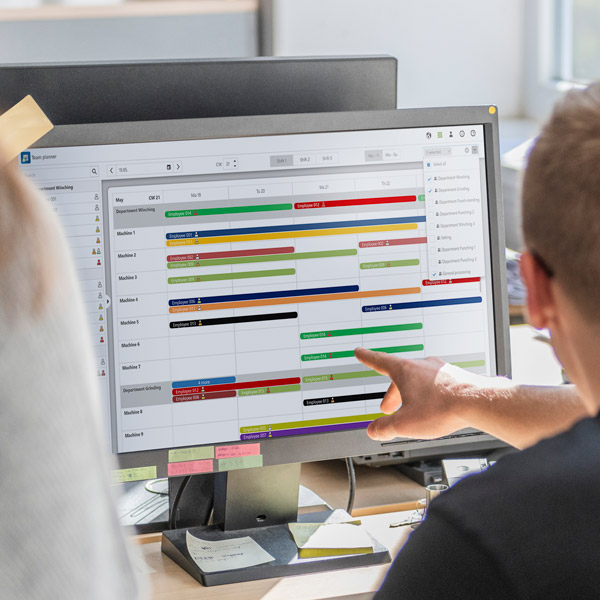
EMC Team Planner: Employee Deployment Planning on the Shop Floor
Digitally Control Personnel Capacity and Optimally Deploy Qualifications
Shift schedules on paper or in chaotic Excel spreadsheets quickly reach their limits in flexible shift models. The EMC Team Planner module digitalizes your workforce planning directly on the shop floor: You allocate your team to the right machines or manufacturing cells based on qualifications, permissions, and availability. If an employee is absent at short notice, the system instantly suggests qualified alternatives.
Whether securing complex setup processes on stamping and bending machines in metal forming or managing flexible shift scheduling on linked machinery in wire processing: The Team Planner prevents bottlenecks, ensures compliance with workplace safety guidelines, and bridges the gap to reliable fine-tune order scheduling.
Key Benefits of Digital Team Planning and Employee Deployment:
- Real-Time Adaptation Instead of Paper Chaos:
No more rigid printed notices. Shift schedules automatically account for employee qualifications and can be rescheduled with just a few clicks when rush orders arrive. - Competence-Based Deployment:
Employees are assigned precisely where their training and technical expertise are required—boosting productivity and preventing operating errors. - Reliable Capacity Forecasting:
The Team Planner balances workforce requirements directly against production order scheduling. You recognize early where surplus capacity exists or where additional staffing is required.
Manage and plan employee capacities better
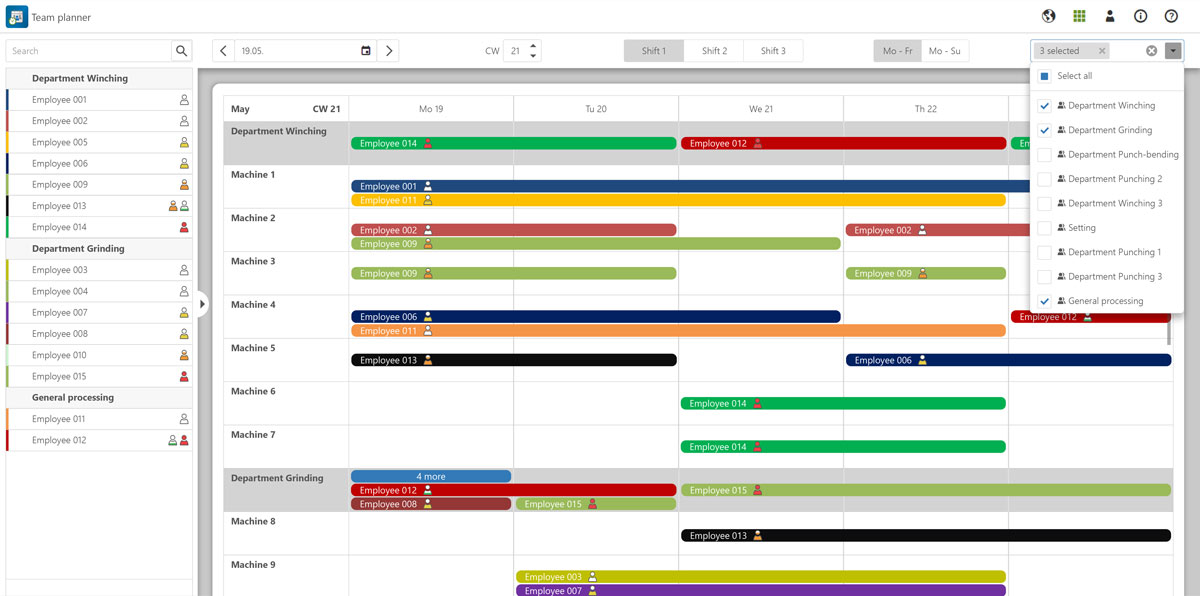
With the EMC Team Planner module, you can easily and digitally create staff schedules for all departments, per shift or week. The module allows you to schedule your employees sensibly based on their skills and expertise. Capacity bottlenecks or overcapacity can be quickly identified and rescheduled thanks to the clear display.
In addition, you can mark employees as absent in the event of vacation or illness, for example, and then receive suggestions as to which employee can be scheduled as a replacement.
The module thus provides you with long-term support in better managing and scheduling the available employee capacities on your shopfloor.
Define employee competencies
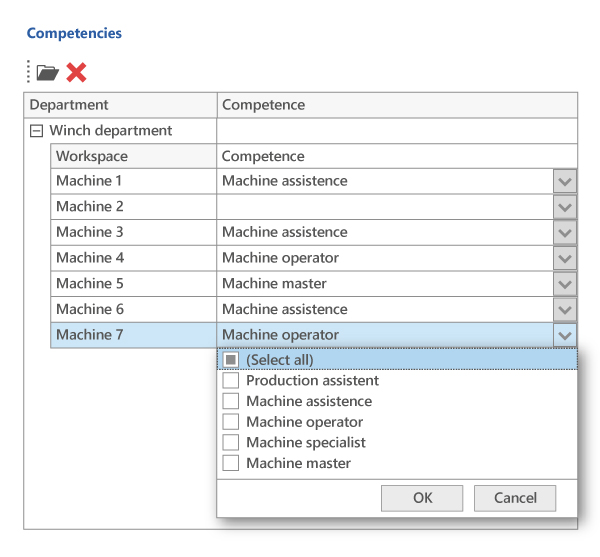
What can which employee do? And which employee can work on which machine and in which department?
In EMC. Data, you can easily define the skills of each employee. These help you to schedule your employees reliably. The individual skills can be configured individually according to your wishes and company-specific designations.
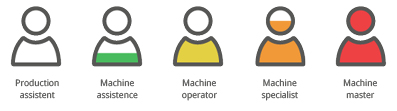
These competencies are displayed in your personnel deployment planning using small symbols:
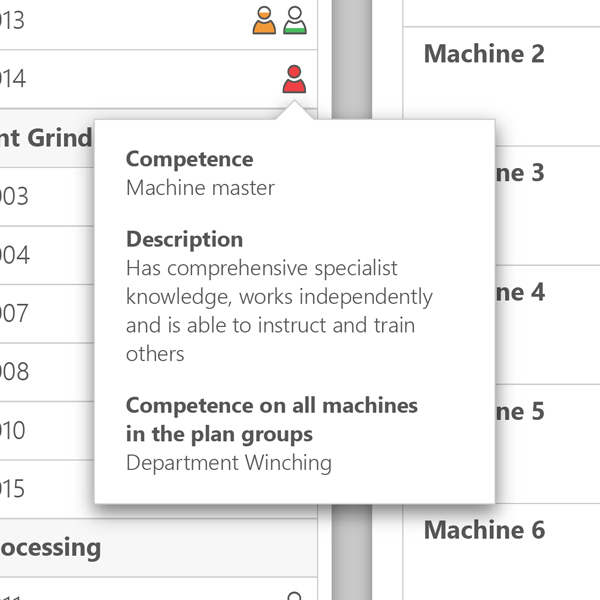
View competencies in the team planner
The skills icons provide you with a detailed skills profile of the employee. You can see at a glance what specialist knowledge the employee has and at which workplace they can be deployed.
Plan employee assignment
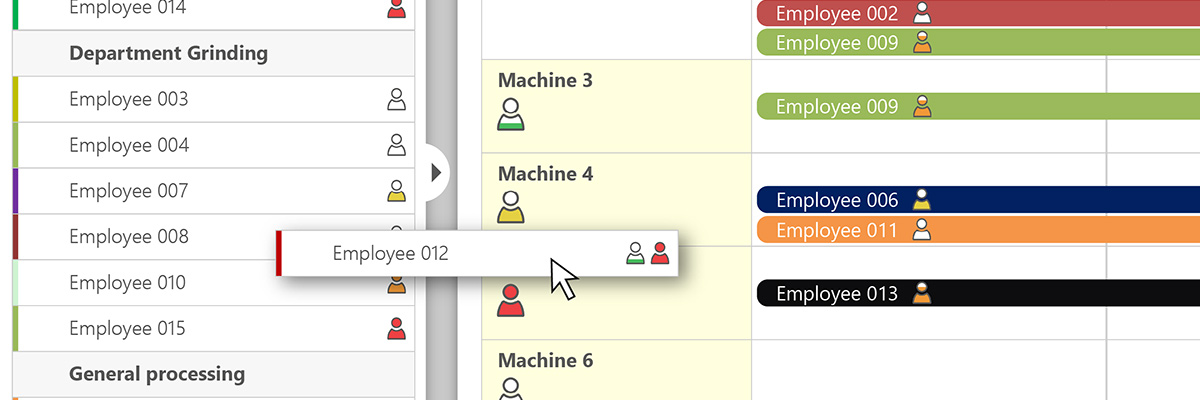
Simply drag and drop the department‘s employees onto the relevant machines. The module uses colors and large skills icons to show you which machines the employee can work on based on their skills. This allows you to implement staff scheduling quickly and reliably. Of course, you can also schedule several employees together on one machine.
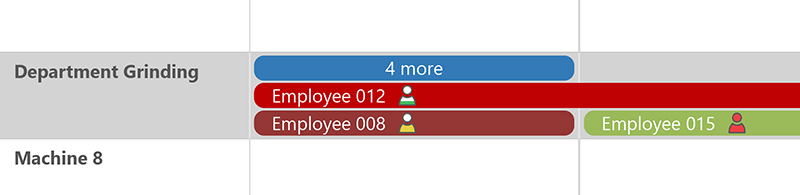
In addition to assigning your employees to individual machines, you can also schedule individual or multiple employees to complete departments or schedule groups.
Manage employee capacities transparently
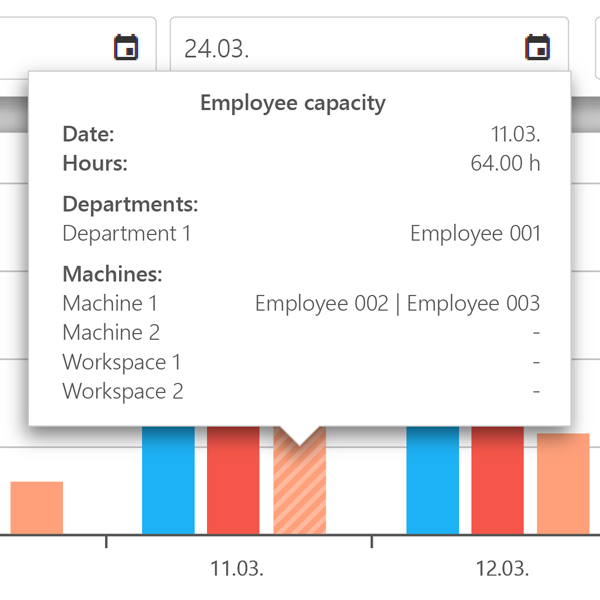
In combination with the EMC Order Management module, your employee planning determines the employee capacity when managing all orders.
The employee capacity is displayed as a third bar. This smart interaction between order management and team planning means that employee capacities always remain transparent. If more manpower is required, this can be quickly identified.

All modules:
EMC Machine Data Acquisition
EMC Operational Data Acquisition
EMC Monitoring

EMC Reporting

EMC Dashboard

EMC Team Planner

EMC Detailed Planning
EMC Order Management

EMC Maintenance

EMC Spare Parts Management

EMC Process Data Acquisition

EMC Control

EMC Knowledge Base

EMC Factory Logistics
EMC Energy Management
EMC Report Server
EMC IoT

EMC Chat

EMC Message

EMC Converter
EMC Machine Data Acquisition
EMC Operational Data Acquisition
EMC Monitoring
EMC Reporting
EMC Dashboard
EMC Team Planner
EMC Detailed Planning
EMC Order Management
EMC Maintenance
EMC Spare Parts Management
EMC Process Data Acquisition
EMC Control
EMC Knowledge Base
EMC Factory Logistics
EMC Energy Management
EMC Report Server
EMC IoT
EMC Chat
EMC Message